The Megapixel Myth: More Dots Do Not Explain Every Image
Megapixel count explains how many image samples a file holds, but not whether its detail survives cropping, editing and display at the size you need.
The common mistake with megapixels is to treat the number as a verdict on image quality. That can lead you to choose a camera for its headline count, then find that a distant subject is hard to crop or that the saved file looks soft. Megapixels describe the image’s sample count; they do not describe the optical detail captured at each point.
For camera buyers, the useful question is not how many dots a file contains, but which details must remain usable after capture. Cropping, colour reconstruction and editing all affect that answer, while display resolution is a separate property of the screen.
Megapixel count sets the file’s cropping room
A digital photograph is a grid of picture elements, or pixels. A megapixel represents a million image samples, and a file’s count is found by multiplying its pixel width by its height. It is a description of the recorded image, not a measure of how much fine detail the camera resolved.
That distinction matters most when you crop. Cutting away the edges of a photograph also removes samples, so a smaller remainder has less room for further cropping or enlargement. More pixels can leave more detail in a crop, provided focus, the lens and subject movement have allowed the camera to record that detail in the first place.
A high-count file can still be soft because of camera shake, missed focus or a lens that does not render fine detail clearly. A file with fewer pixels can look crisp if the subject is sharply recorded and the image is viewed at an appropriate size. Pixel count and sharpness answer different questions.
Sensor size and pixel count describe different things
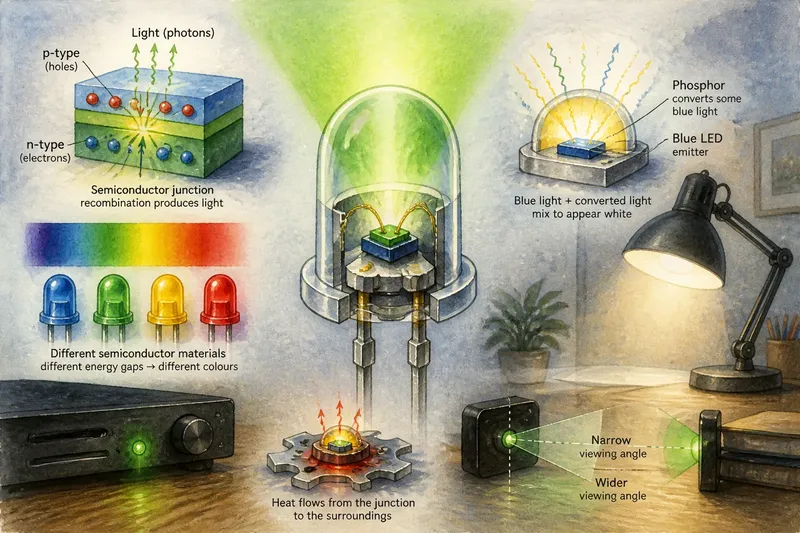
A camera sensor has light-sensitive sites that gather light before the camera processes their signals into an image. The sensor’s overall area and the number of sites across it are separate characteristics. If two sensors have similar dimensions but one has more sites, those sites are generally smaller; if sensors have similar pixel counts but different areas, their sites can differ in size.
Site size affects how much light reaches an individual site, but the finished image also depends on exposure, lens aperture, sensor design and processing. A larger site may collect more light per site under otherwise similar conditions, while a denser grid can provide more samples for fine spatial detail. Neither characteristic alone settles how a photograph will look.
When comparing cameras, consider the kinds of scenes you photograph and look at image files made in comparable conditions. A specification sheet can describe sensor area and pixel count, but it cannot tell you whether a camera’s focus, noise handling and processing suit your particular work.
Colour detail depends on reconstruction as well as samples
Many camera sensors use a colour filter array, with different sites recording different portions of the colour information. The camera estimates the missing colour components from nearby samples in a process called demosaicing. The final colour at a pixel is therefore not always a direct, complete reading from a single sensor site.
Fine repeating patterns can expose the limits of this process. Imagine a tightly woven striped shirt in a photograph: the fabric’s pattern may interact with the sensor grid and produce false colour or moiré. Extra pixels can help represent detail, but they do not remove every constraint imposed by the filter array, lens or image processing.
Colour depth is distinct from megapixels. It concerns how finely tonal values can be represented, whereas the megapixel count describes the number of image locations. A large image file can still show uneven transitions in a smooth sky if its tonal information or processing is limited.
Match the file to the detail you need to retain
Before choosing a camera or judging a file, identify where the photograph will end up. Cropping, low-light capture, editing and fixed-size delivery place different demands on the image.
- Crop frequently: Check the camera’s image dimensions and whether the lens resolves the detail you need. If a crop leaves enough detail for the intended use, the count is adequate; if it does not, consider a higher-resolution file or a closer viewpoint.
- Photograph dim scenes: Check sample images for noise and retained detail at the settings you expect to use. If the files hold up in those conditions, the camera may suit the task; if not, compare sensor behaviour and consider a wider aperture or more light.
- Deliver images at a fixed size: Check the final layout or sharing format and whether cropping is likely. If the image fits without losing needed detail, extra samples may bring little visible benefit; if substantial reframing is expected, retain a larger source file.
- Make large prints: Check the intended print dimensions, source focus and likely viewing distance. If detail looks sufficient at the expected distance, the file may be suitable; if close inspection reveals softness, improve capture or use a higher-detail source.
- Edit colour or tone heavily: Check whether the file retains smooth tonal transitions after the adjustments you need. If it does, its tonal information is workable; if banding or colour artefacts appear, use a more suitable capture format or gentler adjustments.
- Photograph fine repeating textures: Check for moiré and false colour in fabric, mesh or distant roof patterns. If these are visible, change the angle or distance where practical, or use careful processing; if they are absent, the pattern is not causing an obvious problem in that image.
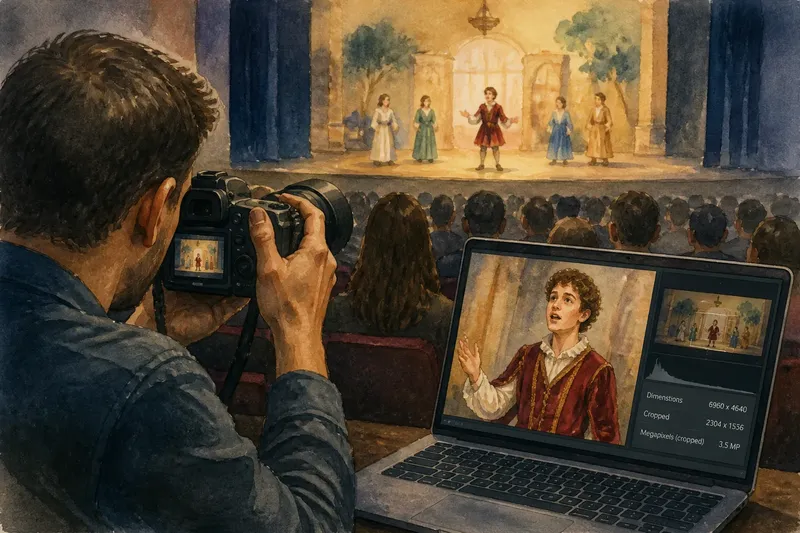
Say you are photographing a school play from the back of a hall. In this invented situation, the starting point is a performer occupying a small part of the frame, with the intention of cropping tightly for a family message. You check the camera file at the intended crop: if the performer’s face and costume remain clear, the existing capture provides enough detail for that delivery; if they look soft, you check for motion blur and missed focus before blaming the pixel count. If the performer is sharp but the crop still lacks useful detail, a closer position or a higher-resolution camera would address the actual limitation better than simply enlarging the file.
Separate camera resolution from screen resolution
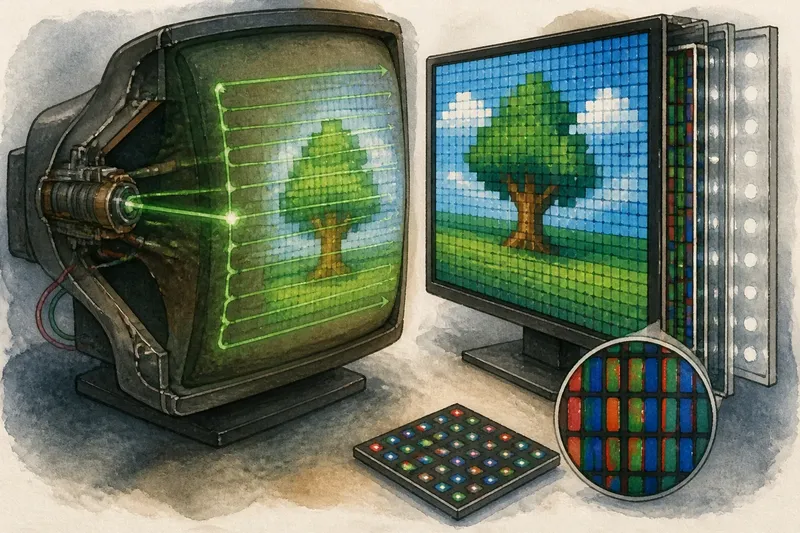
A camera file and a display have different pixel grids. The screen maps the image onto its own grid, and software may scale the file to fit. Reducing an image means combining or discarding source detail; enlarging it requires software to estimate values for display pixels that have no direct source sample.
As a result, a high-resolution photograph may look much like a lower-resolution one on a small screen. The displayed size, scaling and image contrast affect the detail the viewer can distinguish. A screen with a dense native grid cannot restore fine information absent from the source photograph.
For a print, consider the intended physical size, the printer’s rendering and how closely the image will be viewed. A file used as a small thumbnail has different needs from one intended for close inspection on a large print. In both cases, focus and source quality remain relevant alongside pixel count.
What do camera buyers ask about megapixels?
Does a higher megapixel count mean a sharper photograph?
No. More samples can represent finer detail when focus, lens quality and subject movement allow it, but they cannot recover information that was not captured. Judge the actual image at the size and crop you expect to use.
Are larger sensor pixels better for dim scenes?
Larger sites can collect more light per site under comparable conditions, but sensor area, exposure, sensor design and processing also shape the result. Compare how complete image files handle the scenes you photograph rather than relying on pixel dimensions alone.
How do I decide whether a file has enough detail for a print?
Start with the print’s intended size, how closely it will be viewed and how much you plan to crop. If the source is sharply focused and looks detailed at the expected viewing distance, its pixel count may be adequate; if not, consider a closer capture or a higher-detail source.
Why does a high-resolution photograph look soft on my screen?
The photograph may have been blurred during capture, softened in processing or scaled to fit the display. Check the source file at a sensible viewing size; if it is sharp there but not in the displayed version, scaling or presentation may be affecting its appearance.
Use megapixels to answer a specific capture question
The megapixel count is most useful when tied to a task: retaining detail in a crop, preparing a print or supplying a file for a fixed layout. For a camera comparison, consider the lens, focus, sensor behaviour and colour processing alongside the count.
If cropping flexibility is central, extra samples may help, but only when the camera records useful detail. For a photograph that will be viewed small or made in difficult light, clear capture and suitable processing may matter more. The megapixel figure tells you how many image samples are present; the rest of the image-making system determines what those samples can preserve.